At your stop
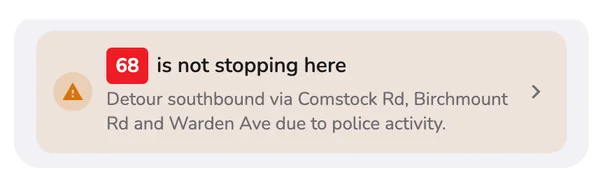
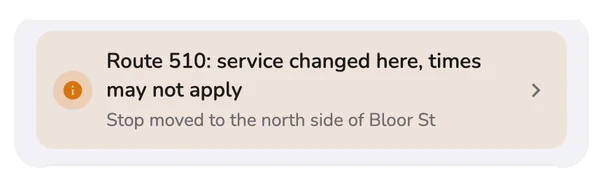
A banner tells you when a route is not stopping here, or when service changed. Tap it for details.
See it on the map
Open the route and the map shows today's detour.
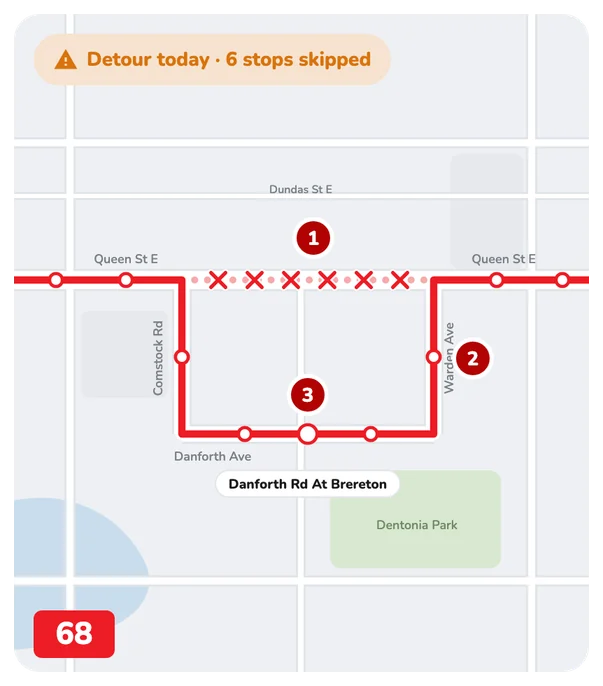
- A cross is a stop the bus skips today.
- Solid line: where the bus goes today. The faded dotted line is its normal route.
- A named stop is one the detour adds.
Tap the pill for details
On a route in the Routes tab, tap Detour today.
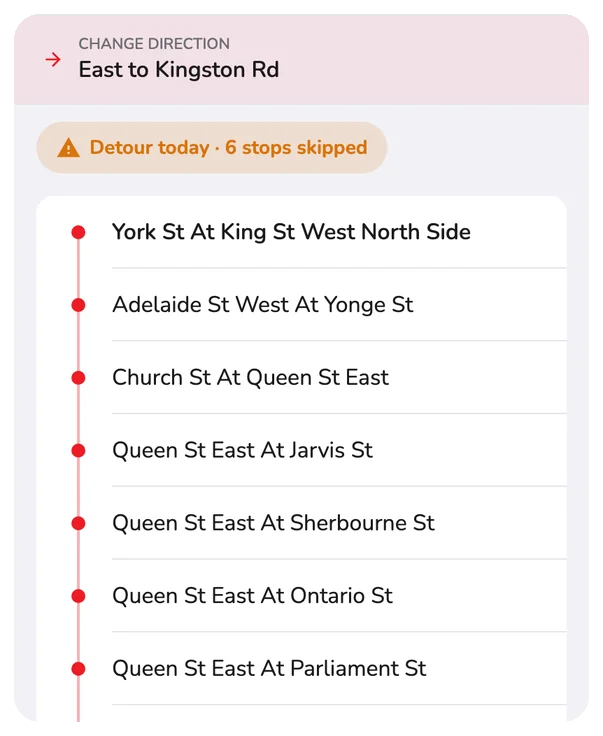
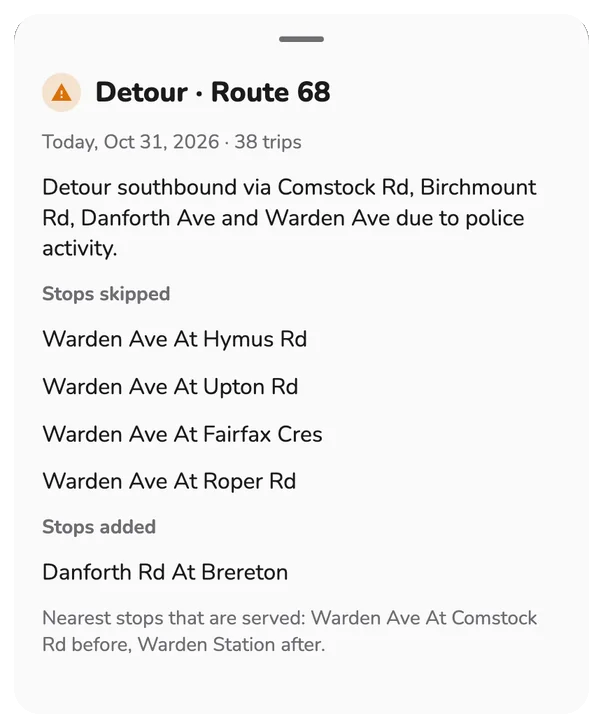
- Dates and trips affected.
- Stops skipped and added.
- Nearest stops still served.
It looks out for you
- Arrival alarm: cancelled if the bus will not stop, and you are told.
- Ride tracking: offers the nearest stop before yours. Ride tracking.
Questions
What is a detour?
A detour is a temporary change to a route, for example when a street is closed. The bus follows a different path, so some stops are skipped. Transit agencies publish detours, and CityTransit shows them next to the routes they affect.
How can I see which stops are skipped?
Tap the Detour today pill on a route's page in the Routes tab, or the banner at a stop. The detour sheet shows the dates it is in force, how many trips it affects, the stops skipped, any stops added, and the nearest stops that are still served before and after.
How do I read a detour on the map?
Open the route and look at the map. A cross marks a stop the bus skips today. The solid line is where the bus goes today, and the faded dotted line is its normal route. A stop with its name shown is one the detour adds.
Will my arrival alarm still ring if the bus is not stopping at my stop?
No. If a detour means the bus will not stop at your stop, CityTransit cancels the alarm and sends a Bus not stopping notification (and a spoken message if you use voice alerts), so you are not left waiting.
What does Route is not stopping here mean on a stop page?
A banner at the top of a stop's arrivals tells you which routes are not stopping there today because of a detour. Tap it to see the details.
What does Service changed here, times may not apply mean?
The agency has changed service at this stop, for example by moving it. Listed times for that route may not match what the bus does today, so check the details before you rely on them.
Where do detours come from?
From your transit agency's own published service information, so what you see matches what the agency reports.