Open More, then Service Alerts
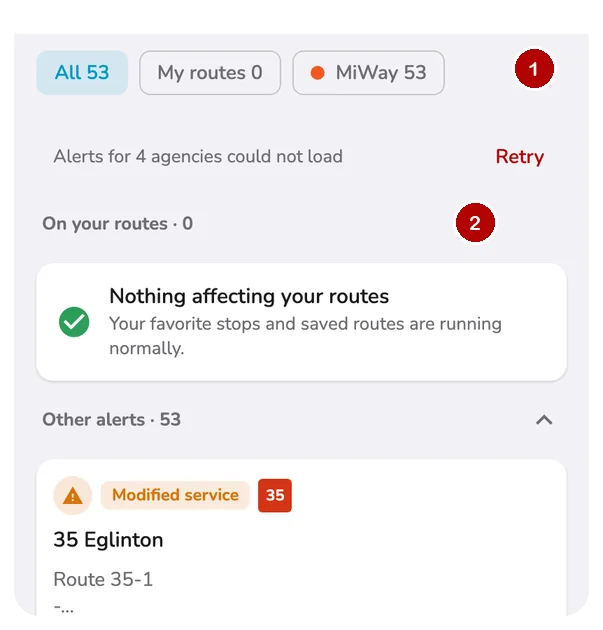
- Filter by All, My routes or one agency.
- On your routes comes first.
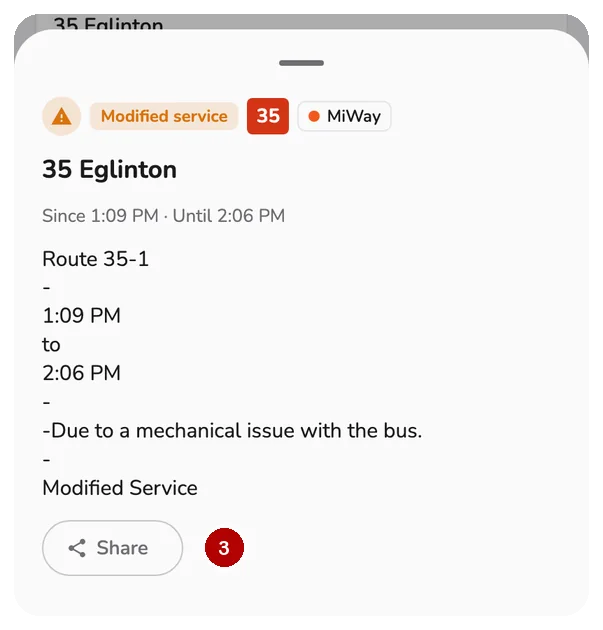
- Tap an alert to Share it or read the agency page.
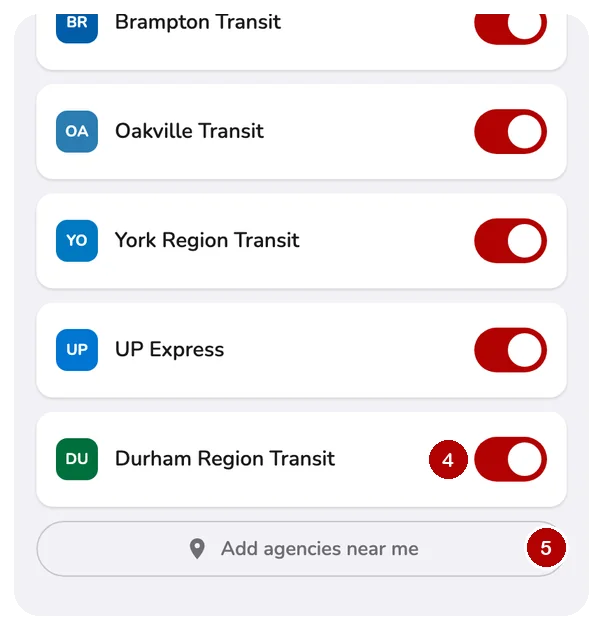
- Switch off agencies you do not use.
- Add agencies near me adds nearby ones.
Alerts also show up
- At a stop: a warning mark beside the route.
- On a route: a chip like "2 alerts".
- On your trip: a pill and marks on affected stops.
- Detours have their own details. Detours.
Alerts never send push notifications.
Questions
Where do I find service alerts in CityTransit?
Open More and tap Service Alerts. You will also see alerts where they matter: a warning mark next to a route at a stop, an alert count on a route, and an alerts pill on a trip you are following.
What are My routes alerts?
CityTransit lists alerts that affect your favorite stops and saved routes first, under On your routes, so the ones you care about are never buried. Everything else is under Other alerts.
How do I choose which agencies I see alerts for?
Tap the filter icon at the top of Service Alerts to open Agencies. Switch off any agency you do not use, or tap Add agencies near me to add the ones around your current location.
What do the alert types mean?
Each alert is labeled by its effect: No service, Reduced service, Significant delays, Detour, Additional service, Modified service, Stop moved, or Notice. The label tells you at a glance whether to plan another way.
Do service alerts send push notifications?
No. Service alerts are a live list you open when you want them. CityTransit sends notifications only for things you start yourself, like arrival alarms and ride tracking.
Why does Alerts for some agencies could not load appear?
That agency's alert feed did not answer. Tap Retry, or check your connection. Some agencies do not publish alerts at all, and the list says so.