Trip Planning
Get door-to-door directions from where you are to where you're going, with live transfers and turn-by-turn guidance built in.
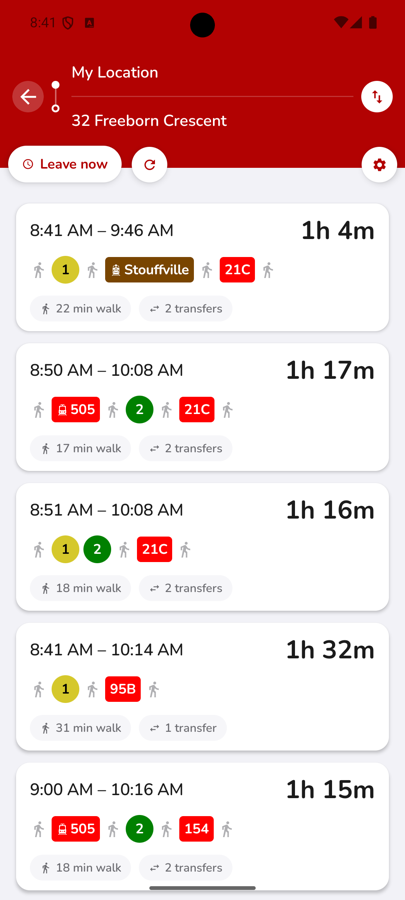
Search and compare route options
Open the trip planner and enter where you're headed. CityTransit uses your current location as the starting point by default, or you can set a different address. It then lists several ways to get there — compare total time, number of transfers and how much walking is involved, and pick the one that works for you.
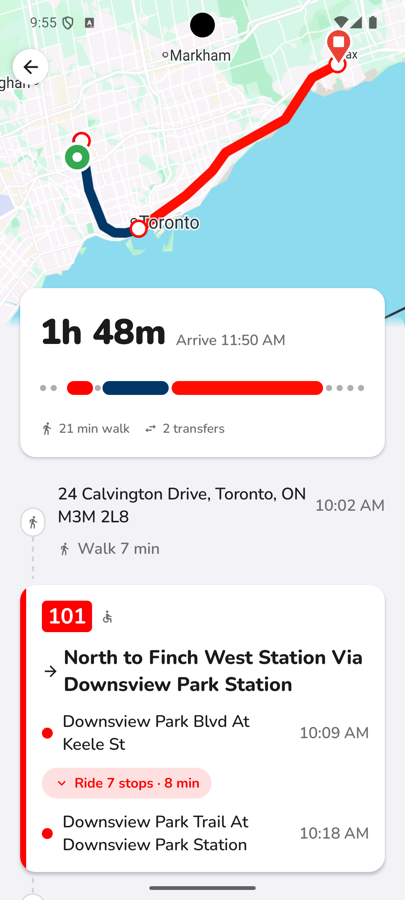
Review the full itinerary
Tap a route to see the whole trip laid out — an overview map of every leg, plus each walking segment and ride broken down with exact stop names and departure times, so there are no surprises before you head out.
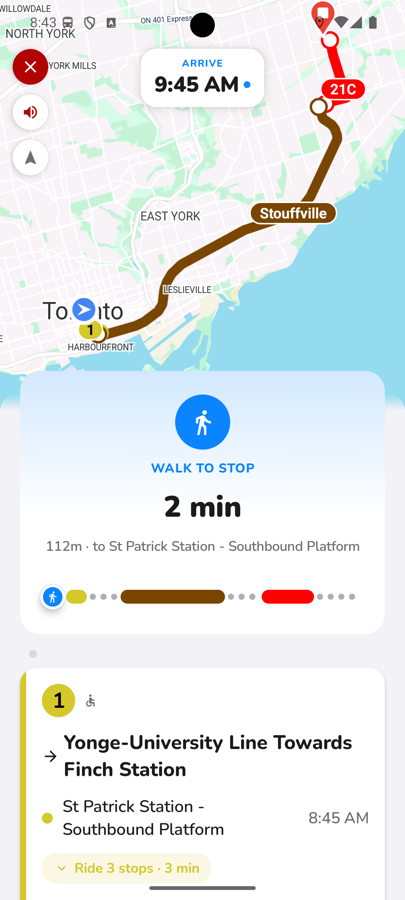
Follow live, turn-by-turn guidance
Once you're on your way, tap Start and CityTransit tracks your trip in real time — telling you exactly which bus or train to board, when it's arriving, and when to get off, leg by leg, all the way to your destination. If a transfer runs late, the trip updates live so you're never caught off guard.
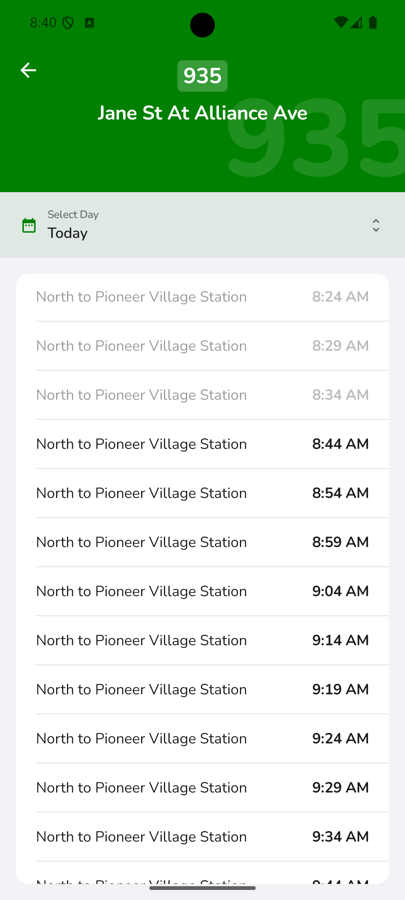
Prefer to browse a full timetable?
Trip planning is best for getting from A to B, but if you just want to see every scheduled departure for a stop on a given day, tap Schedule from that stop's page for the full day's timetable.