Getting Started
Everything you need to find a stop and never miss it — in under a minute.
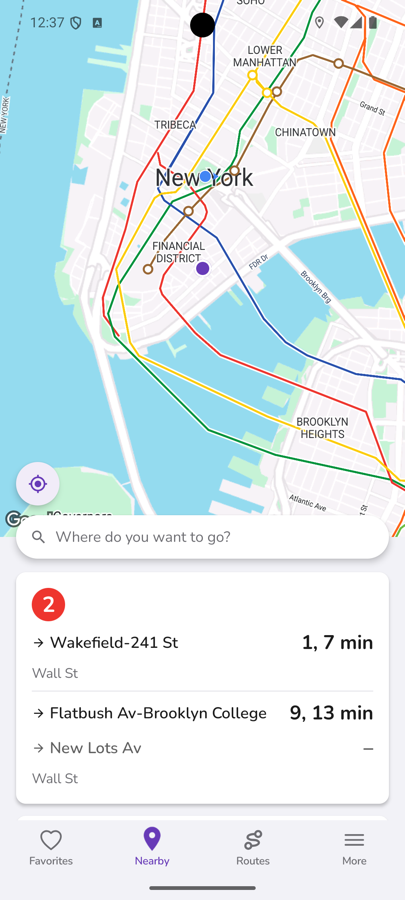
Find nearby stops
Open the Nearby tab and CityTransit shows every bus, train and subway stop around you on the map, with live arrivals below — no need to search for your stop by name.
Know the stop number? Jump straight to it
Most stops have a number posted on the sign. Open More → Find Stop by Number, pick the agency and enter the number to go directly to that stop's live arrivals, without needing to be nearby or search by name.
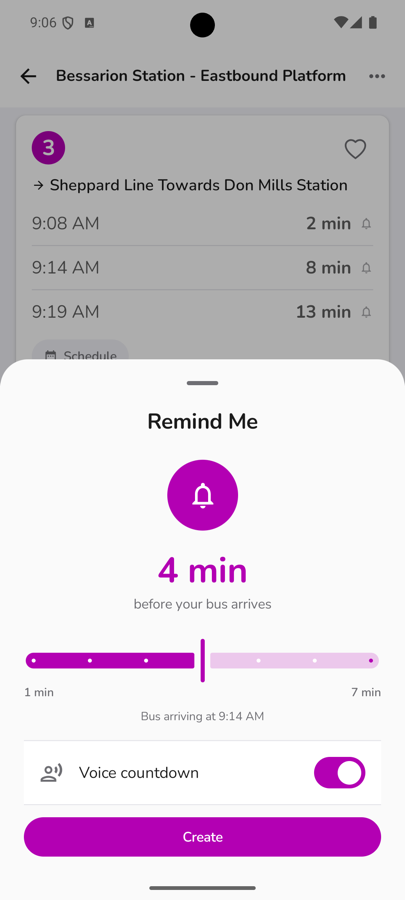
Set an arrival alarm
Tap the bell icon on any departure, drag the slider to how much lead time you want, and CityTransit counts down and alerts you before your bus or train arrives — with an optional spoken voice countdown, so you can keep doing what you're doing until the last minute.